Getting started
Connect one sensor, see what it detects, and build from there.
The smallest useful thing DomeCommand can do is show you what is flying nearby. This page does that with one sensor, and then points at the things you would add next.
We use an RF sensor for the worked example. RF is a good first sensor: it detects the control link, often before the aircraft is visible, it reaches further than most, and it needs no line of sight.
Before you start
You need three things.
- A running DomeCommand deployment. See Deployment.
- A site, so the system knows where you are. Settings → Sites → Add, click your location on the map, and set a geofence radius. See Sites.
- The sensor itself, powered and on the same network.
1 · Turn on the protocol
Your sensor speaks something. Most RF direction finders publish over MQTT; radars usually speak ASTERIX; a SAPIENT-compliant node speaks SAPIENT.
Settings → Integrations, find the protocol, and enable it. That is what opens the door; it does not yet let any particular device through.
See Integrations for the full list and a page on each.
2 · Declare the sensor
Settings → Assets → ADD.
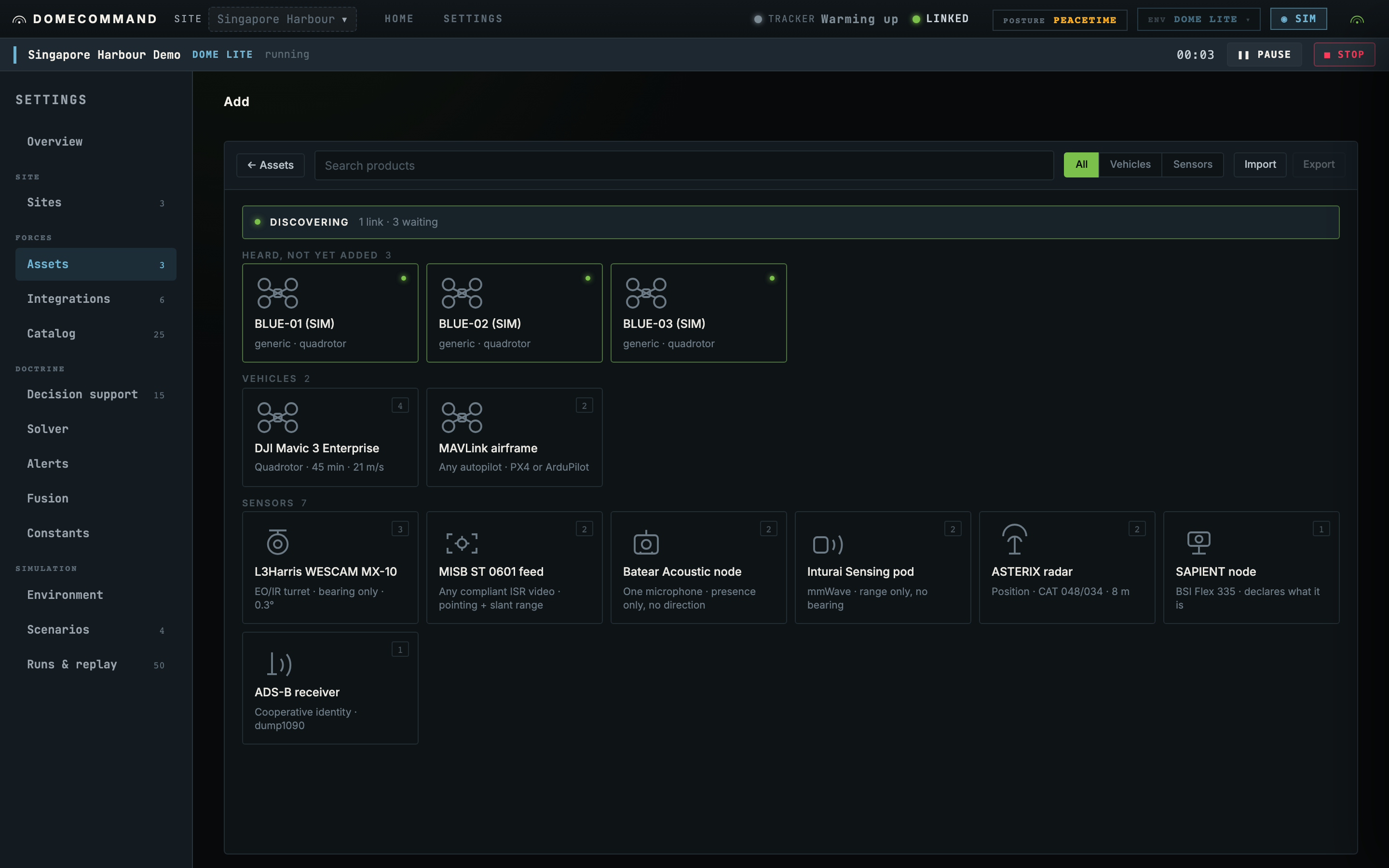
Search for your product and pick it. If yours is not listed, pick the generic entry for its type and adjust the figures afterwards.
Most sensors cannot introduce themselves, which is why you declare them. A drone announces itself and waits to be adopted; an RF node just publishes what it hears to wherever it was told to publish.
3 · Say where it stands
This is the step people skip, and skipping it produces a sensor that looks healthy and contributes nothing.
An RF direction finder reports a bearing, which is a direction with no range. A bearing from an unknown origin constrains nothing at all. Click the sensor's position on the map.
Aircraft are not asked this. A drone knows where it is and reports it.
4 · Take the credential
If the sensor connects to us, you get a username, a password and a topic, shown once. Put those three on the device.
If the sensor is on a shared carrier instead, such as a bound port or a multicast group, there is no credential and none is needed. Which applies is decided by the protocol, not by you.
5 · Check it
The asset appears in Settings → Assets with a live health state, and the Integrations row counts it. Within a few seconds of the sensor hearing something, detections start arriving.
If nothing arrives, the usual causes are on each protocol's page under If nothing arrives. The two most common: the device is publishing to a topic that is not the one it was issued, or the sensor has no position.
What one RF sensor gives you, and what it does not
A single direction finder tells you something is transmitting, in that direction. That is genuinely useful: it is early warning, and it is often the first indication you get.
It cannot tell you how far away the aircraft is. One bearing is a line, not a position, so no track can be formed from it alone.
To get a track you need one of:
- A second bearing sensor somewhere else. Two lines intersect, and an intersection is a position.
- A sensor that measures position directly, such as a radar.
- A cooperative report, such as Remote ID or ADS-B, where the aircraft states its own position.
This is the whole of sensor selection in one paragraph, and it is why reach matters less than what a sensor measures. See Sensor types.
Next steps
- Run a simulation. Lay out a site, run a raid against it, and see whether the picture firms up in time to matter. No hardware needed, and the sensor models are the real ones, so it is the cheapest way to decide what to buy.
- Add more sensors. Every protocol has a page with its address format, its steps and its failure modes.
- Command an aircraft. MAVLink gives you arm, take off, move to, follow route and return to base.
- Set your doctrine. The ladder, the line and the rules.
- Size the hardware. What a node runs on, and where sensor detection should run.