Environments & rehearsal · Configuring
Authoring a scenario
A scenario is a document. It says where the fight happens, who is on each side, and when it starts.
Settings → Scenarios → New, or duplicate one that is close and edit it.
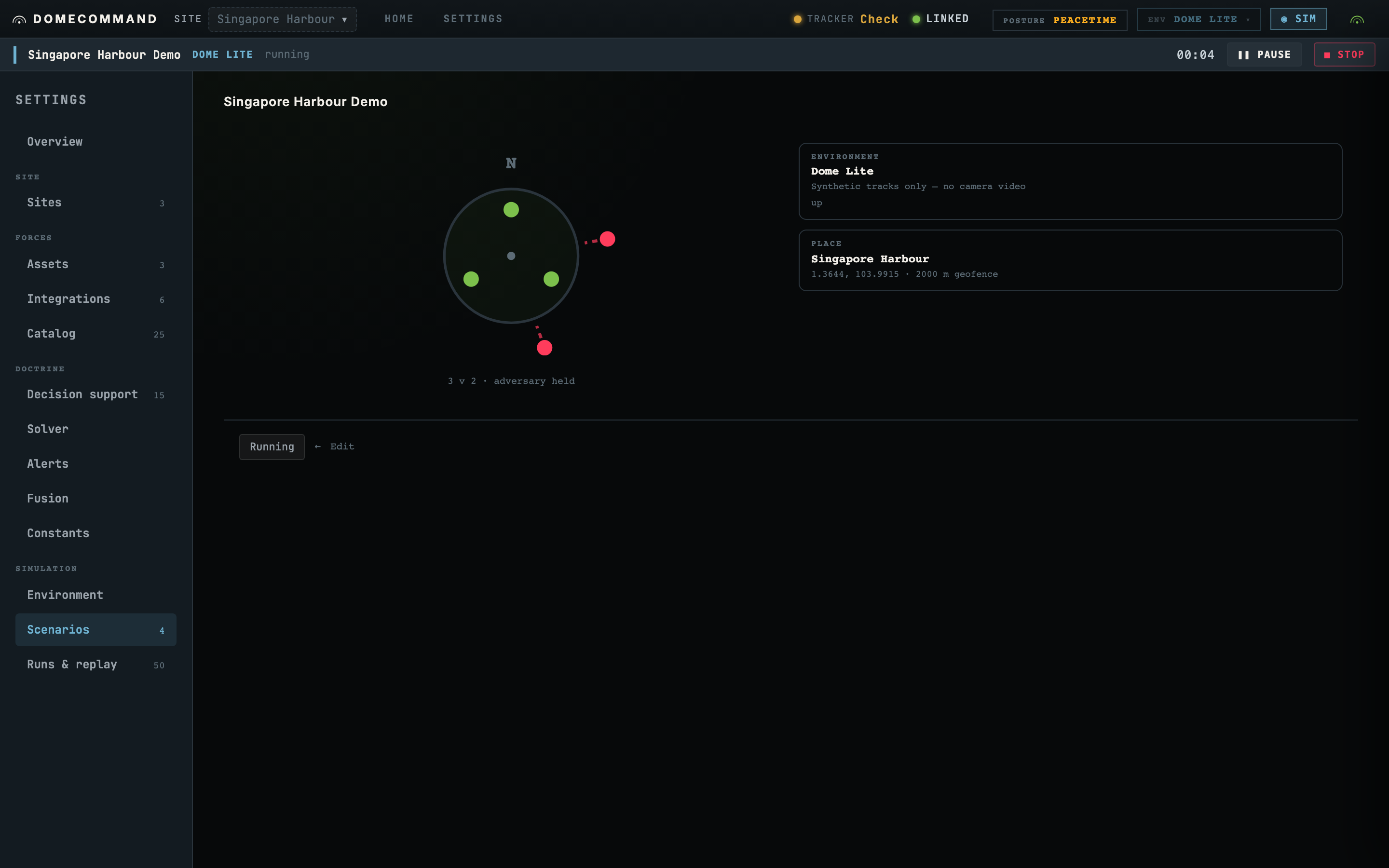
What a scenario carries
The seed
One number, and it makes the run repeatable. The same seed produces the same raid: same spawn positions, same timings, same behaviour. Change one thing about your defences, run the same seed again, and the difference in outcome came from your change.
Change the seed and you get a different fight of the same shape.
The site
Where it happens. The scenario names a site, and the site brings its coordinates, its geofence and the zones drawn on it. See Sites.
The force source
This is the field to understand before running anything, because it decides whether a command can reach real hardware.
| Source | Your forces are | A command reaches |
|---|---|---|
| Synthetic | Invented for the exercise | Nothing real |
| Copy of registry | Copies of named assets you actually hold | Nothing real |
| Live | The real assets | Real transports |
A copy behaves like the real thing and carries its performance figures, which is what makes rehearsal meaningful. It is still a copy, so nothing it is told leaves the simulation.
The forces
Both sides are configured the same way, either as a swarm (a count, a direction, a type) or as an explicit list of individual aircraft with their own start points and intent.
A swarm is faster to author and right for saturation. An explicit list is right when the point of the exercise is a specific approach.
Each hostile carries an intent: what it is trying to do. A loitering munition and a reconnaissance drone with identical kinematics behave differently, and the intent is what makes them do so.
The clock
An optional fixed duration and a time scale. A run with no duration goes until you stop it. Time scale above 1 compresses the exercise, which is useful once you have seen a scenario play out at real speed and want to run it twenty times.
The release
Held until you release it, by default. The adversary waits.
This default exists because the first ten seconds after an attack appears is the part worth rehearsing, and you cannot rehearse it if the raid started before the picture finished rendering. Load the scenario, let the picture settle, then release.
The environment
Dome Lite needs nothing: the scenario's own site is the place, and the world is generated around it. AirSim names a compiled level, because an Unreal level's origin is fixed when the engine starts.
A scenario that says nothing about its environment runs in Dome Lite. See Environments.
Placed sensors
A scenario can place its own sensors, each naming a profile and either a fixed position or a mount on a moving asset. A mounted sensor is resolved from that asset's current position each tick, so a camera on a patrolling drone sweeps as the drone flies.
Leave this out and the site's own sensor layout is used.
Describing one in plain language
You do not have to fill the form in. Describe the fight and the Copilot drafts it:
Sixty FPV drones from the north-west in three waves, two minutes apart, with a two-minute radar blackout starting at the second wave.
It comes back as a proposal rendered in the scenario form, where you edit and save it. The Copilot never saves it for you. See The C2 Copilot.
Where to go next
- Running a simulation to start it.
- Runs & replay for what it leaves behind.